Table of Contents
1. Introduction
2. Inside the Blackwell Superchip Architecture
3. CX9 and Bluefield 4: Serviceability Meets Scale
4. Key Takeaways
Introduction
I'm excited to share this exclusive interview with the investing community. Most people think of NVIDIA as a hardware company that builds chips to train massive AI models, but you're about to get an inside look at a very different side of the story. I'm joined by Joe Dallaire, product lead of AI infrastructure at NVIDIA. Joe spent the last four years deploying the hardware and software behind some of the most powerful AI models on the planet, and he shared a few surprising insights about where AI is headed next but that's just one of the many technologies that i'll be covering live at gtc in a few weeks gtc is nvidia's massive ai conference showcasing the biggest breakthroughs in robotics and self-driving cars ai agents and the chips that power them and a whole lot more and anyone who signs up for a free online session at gtc with my link can win an nvidia rtx 5090 graphics card just attend any session, take a screenshot as proof, and send it to me after the conference using the links below.
GTC should be on every investor's radar, and so should NVIDIA's ecosystem for AI inference. Your time is valuable, so let's get right into it. I'm so happy to be here with you. Thanks for taking the time, by the way. Jensen talked about a lot of awesome things at the keynote, and one of the things that he talked about in detail is that NVIDIA actually co-designed six different chips for the Vera Rubin generation. That's a lot to go through. So I'd love to go through all of it with you starting from the GPU itself and working all the way up to the rack scale system level, if that's okay. So let's just start with Rubin itself. What's the difference between Blackwell and Rubin? Oh, so there's several different things about Rubin that are different than Blackwell.
So we have the six chips that you talked about, all of them co-designed together. So what we did is we looked at the data center requirements and we worked our way backwards and said, what do we need in all these six different chips to make sure that we get the best performance, the best energy efficiency, the lowest cost. So that's what the fundamental thing about Rubin is this extreme co-design. All these chips manufactured together, designed together, working in concert for the best performance.

And when you say you looked at the data center requirements, are those being driven by AI models today? Yeah, what's driving those requirements? Models are definitely the thing that are driving this compute demand and MOE models in particular, mixture of experts, where they're generating many, many tokens, factors more tokens because of the reasoning that they do. Also, the model sizes are growing as well, so they're getting more intelligence from model size, from reasoning, so that is just generating a tremendous amount of compute demand. And Rubin is designed to address that. Got it. So talk to me about the difference between Blackwell and Rubin, the GPU specifically, in terms of power and performance.
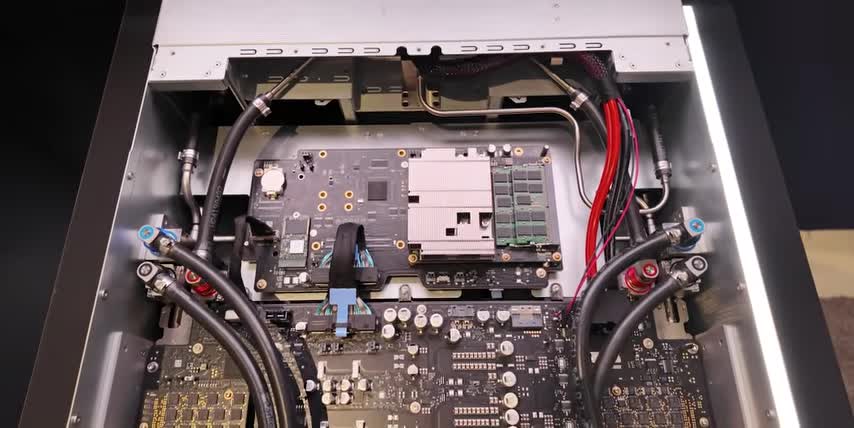
So in terms of power and performance, for inference workloads, we see up to 10x better performance on Rubin versus Blackwell. Wow. 10x performance per watt. So that means that, so given latency, fixed latency, you can see with those Pareto charts that we've shown in Jensen's keynotes. At a particular latency, very high latency that's very good for users of the model. So yeah, the 10X performance is across the rack scale. Is it at the rack scale? Rack scale architecture. So here we have the Blackwell Ultra Generation compute tray and I can show you what we have here in terms of the components and their breakdown. So we have two superchips. Two superchips, okay.
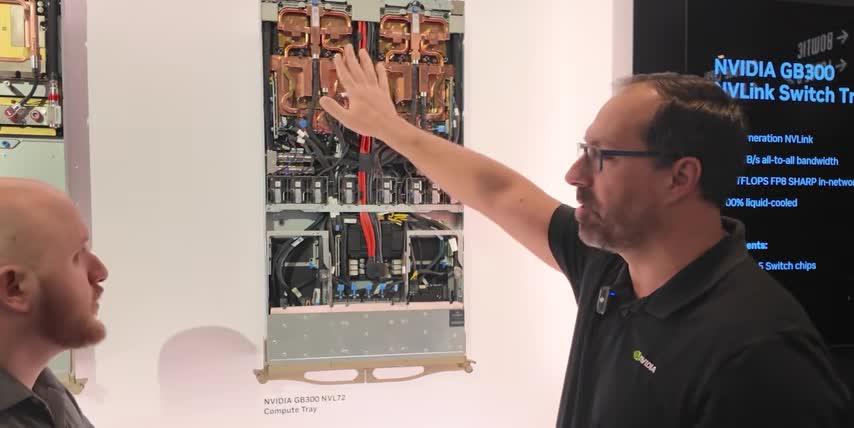
Superchips have two Blackwell Ultra GPUs, and then one Grace CPU on one Superchip, and then there's two of them together, so four GPUs, two CPUs, and then we also have Kinect X8 SuperNICs that are also part of this Superchip. And that's gonna be an important distinction when we talk about Vera Rubin later, how those have been moved. But yeah, you can see that this is hybrid cooled. Okay. cold plates doing the liquid cooling on the superchips and all their components. And then on the bottom half of the tray, or the front half, I should say, this is air-cooled. So these are all, what I'm actually looking at, is the tops of all fans, right? Eight fans here. Got it. So eight fans, and then we have a blue-filled DPU that is part of this tray as well.
That is for the north-south traffic connecting to storage, getting the data in to the compute rack so that it feeds the GPU. Got it. So the DPU brings data in and out, and then all the magic happens in the superchips themselves. Got it. So there's two kinds of network traffic. North-South is inside the same rack. East-West is connecting multiple racks. Is that how we should think about it? That's a proper way to think of it, yes. I thought NVIDIA was just a GPU designer, but Grace is a CPU, right? So what does the CPU do? So the CPU handles a lot of the management. So for example, when you're trying to use inference and you want your model to make some code for you, and you want it to maybe make a little application, a Python application, it needs to run that.
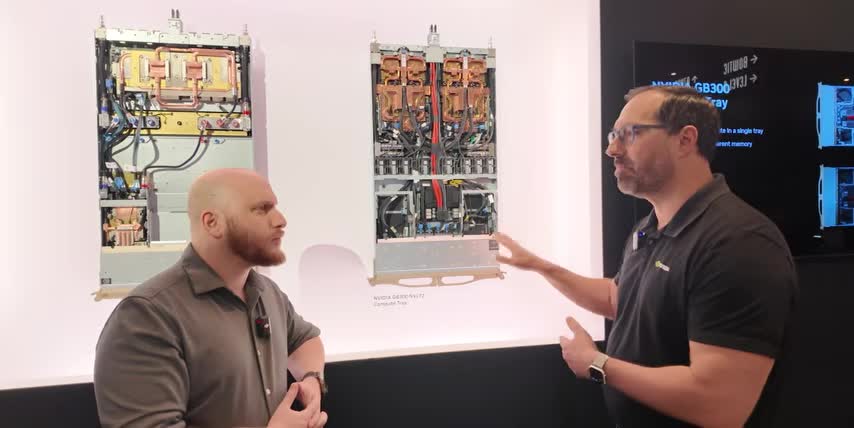
Ray CPU can actually run that application. The GPU wouldn't run an application that's generated by a model. But it's also doing other kinds of things like database analytics and those types of functions that are more CPU friendly it's able to accelerate those types of oh so really the whole idea is kind of like you have the GPUs do what they're the best at then you have the CPU to do things obviously that CPUs are much better at GPUs at so that you can sort of spread out the work over the right chip for the job right you also mentioned something called a DPU can you walk us through it a DPU so DPU bluefield DPU data processing unit that's That's gonna handle some of the north-south traffic. North-south traffic, yep. And when you're connected to storage, that's on a different rack.
There gonna be compression encryption That all gonna be managed by the DPU that we have in Bluefield Bluefield 3 And the goal for that is just to make sure the CPU and the GPU aren doing those things That's correct. Offloading. Offloading all those functions from the CPU and the GPU, accelerating those functions and hardware so that you get the fastest data access to feed the GPU. That makes a lot of sense. Okay, so those are three of the six chips so far, right? The CPU, the GPU, and the DPU. And the ConnectX. Yeah, talk to me a little more about that. ConnectX 8, this is your east-west connectivity. East-west. So this is your SuperNIC for connecting east-west.
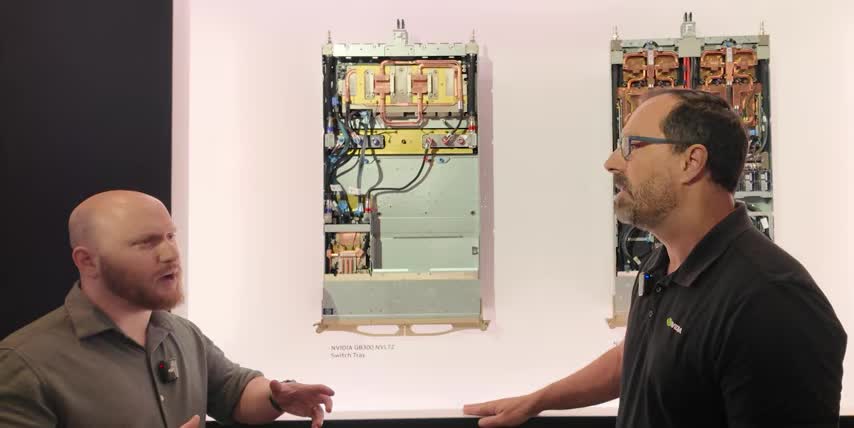
It also has inline encryption, those types of functions for the east-west traffic that's going to be connecting between rack to rack of GPU racks. Got it. So we have the GPU, the CPU, the DPU, and the ConnectX on this board. That's correct. Where are the other two chips? So the NB-Link switch is the other chip. And there's two here on this switch tray. This is NB-Link 5, or the fifth generation of NB-Link. And these are communicating to the NB-Link network at 1,800 gigabytes per second. 1,800 gigabytes per second. So very high speed. And that's really going to be the central nervous system of Blackwell GB300 MBL72. Got it. So these are two completely different trays, right? So this is the compute tray. That's where the magic happens in terms of crunching the numbers.
And then this is the switch tray, which I think you mentioned earlier, is all about just connecting all the GPUs together. So it connects all the GPUs together. There's several of these trays within a rack. Yeah. All the GPUs are 72 GPUs. They have 72 in a rack and it's all-to-all connectivity. So every GPU has to be able to talk to every other GPU at full bandwidth and that's what the switches achieve. So 1.8 terabytes per second any GPU talking to any other GPU. Is that why it's called a compute fabric? Like when I think when I draw a network diagram of that's okay got it so. So, yeah, they call it compute fabric, not just because it's connecting all the GPUs to each other. There's also some compute functions in our NVLink switch chips.
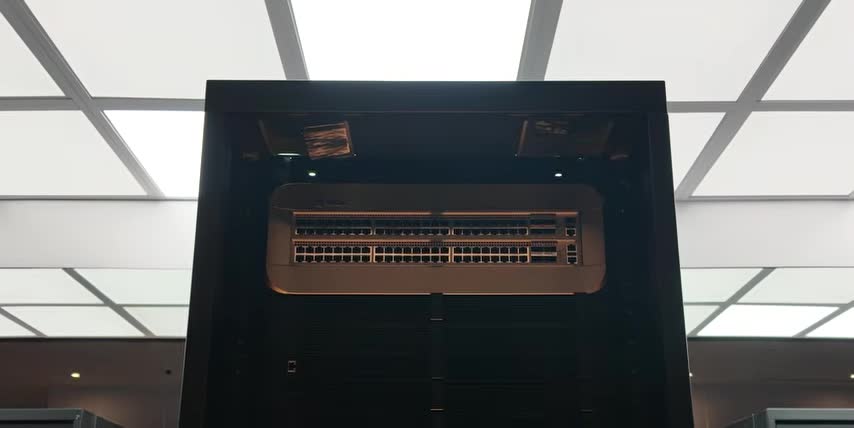
So we call that all reduce or collective operations, where in training, when certain operations need to be shared across the network, instead of sending it to all the GPUs, it will do some of those operations within the switch. Oh, whoa. Okay, so the switch isn't just connecting things. It's actually also doing some computation. Some computation as well. That's awesome. Okay, so I think we've covered five of the chips now, right? Is that correct? That's correct. What's the sixth chip? Six is the Spectrum X. Can we try to take a look at those racks? Yeah, let's go take a look. There's 10 trays up top. Those are the compute trays. Nine networking trays. Nine NVLink switch trays, I should say.
and their job is to connect all the GPUs in the 10 above and the 8 below compute trays together, right? So what's up there then? So that is the top of rack 1 gig switch for telemetry. That's telemetry. That's just system management, managing functions, it's low-speed Ethernet. It's just a management system for the rack itself. It's not processing the compute data for AI. It's managing if a GPU goes down. It's like, help me understand what telemetry means and what that.. Telemetry means like I'm just looking at the functions of the rack itself. I'm looking at its uptime. I'm looking at.. Health and status, I guess. Health and status check-in, yes. Diagnostics would also.. And you mentioned that there's another kind of rack that would sit next to this.
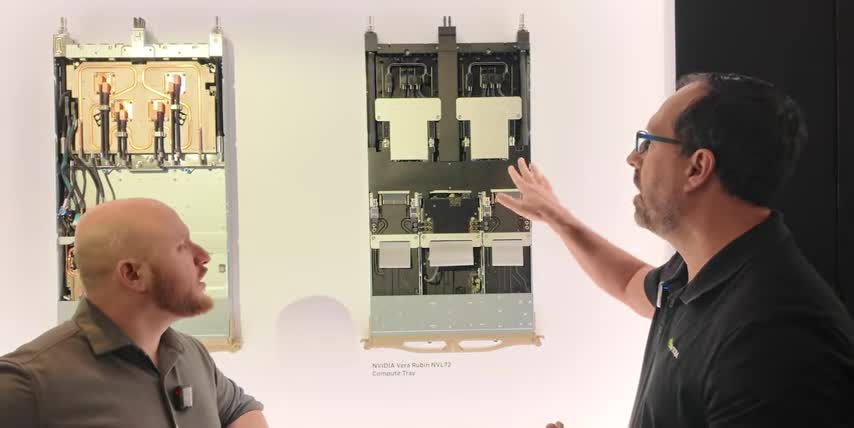
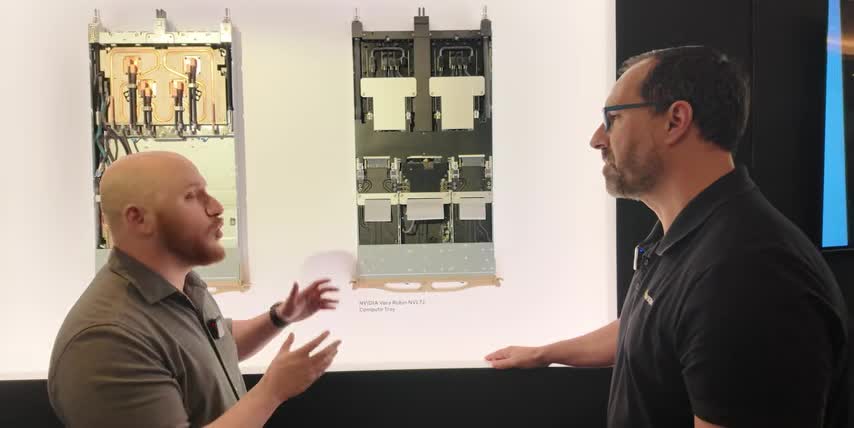
So, yeah, you will have your group of compute racks, GB300 compute racks. And then you would also have racks dedicated to Spectrum X East West network switches. We don't have that here, but that's how the function would be. We call it a pod. You have maybe eight GB300 racks, and then you'll have a few switch racks with Spectrum X. Yeah. So that's a great overview of the Blackwell system, right? Now, I want to understand how things changed from Blackwell to Rubin. Can we go over there and look at that? Yeah, let's go look at the trays. So this is looking at the components up here on the wall. We talked about in the compute tray, the Bluefield DPU, Bluefield Core. So there you can see it on the wall.
That board is part of the module system that slides in and out of the compute tray for serviceability. And then likewise, the Connect X9 is there in the middle. And there's two Connect X9s that are on that board for a total of eight in every compute tray. So every GPU is fed 1.6 terabits per second for the Connect X9s. And then we have the Spectrum X photonics co-packaged optics. This is really, really cool. Yeah, what is that? So instead of having SFP pluggable modules for the optics, they're actually built onto the chip itself. Co-packaged with it. So this has a huge gain in energy efficiency, reliability, and it factors more in terms of those two factors. So before we would have fiber optic transceivers? The fiber optic optical transceivers.
So the fiber optic cables on either end and those transceivers have lasers in them. That's correct. that need power, right? And that's what you're getting rid of by doing it that way. And we're putting the one packaging with the chip. What does that actually mean in terms of performance or power gains? So in terms of performance, the performance would be the same, but it's going to be the power reduction and the reliability improvement. Because those pluggable lasers can be very, sometimes very unreliable, they have to be swapped out very frequently But if it co here on the chip the reliability goes up like I think 10x better Wow So it a huge difference And where in the rack does that live So that would be in its own switch tray or a switch server. And that's a separate rack.
That's the side rack. That's the separate rack that's separate from the NBL 72. So that's the East-West traffic switch rack. Awesome. So Quantum X, there's also for InfiniBand, which is an alternative to Ethernet. There's also a co-packaged optics for Quantum InfiniBand as well. So those two chips are equivalent. One is for Spectrum X Ethernet, one is for Quantum InfiniBand. That's correct. And then you also have a Spectrum X Ethernet photonics switch. So that is the co-packaged optics chip is in there in the Ethernet photonics switch. So that's the photonics part is the co-packaged optics. Got it. But these go in the sidecar. These go into switch racks. Yeah, got it.
As well as that one, right? If you're doing quantum InfiniBand as your east-west traffic protocol, then you would use the InfiniBand as a side rack. So these are equivalents, one for InfiniBand, one for Ethernet, right? Correct. Got it. Yeah, that's right. So what we kind of just talked about is what I would say is the current state-of-the-art for data centers, right? centers, right? Blackwell Ultra is the one that's sort of the best in class in data centers right now. And then Jensen announced Vera Rubin, the six chips we just talked about. We talked about the Blackwell versions. This is a substantially different compute tray than the one we just saw. Can you walk us through all the differences? Oh yeah, there's plenty. So what we've done is overall, it's a modular design. Okay.
So that means that there's bays here and these can just slide out and slide in and just lock and latch so there's not a bunch of wires and cabling to do all the connectivity between all the components that are on the tray also the hosing as well that's been streamlined yeah so there's a manifold in the in the middle and it manages a lot of the distribution of liquid so overall on the gb300 there was 43 hoses there was a bay of fans here because it was a hybrid cooled. The bottom half of GB300 was fan cooled. We eliminated that and because we're 100% liquid cooled now, so eight fans goes to zero fans, zero hoses, and then there's a bunch of cables that have been removed as well so it's cable free. So this, I'm trying to even piece together what I'm looking at.
So these would be where the two super chips were in the past, right? So these are the super chips.
They slide in and out, they latch in so you have the two rubens one vera on them so one other important point is because it's modular now and we have all these bays that slide in and out and it's all connectivity with connectors instead of cabling.
Putting this together and doing assembly on it is like 20 times faster, sure, so something that would take two hours to assemble the gb300 rack now you can do in five minutes, yeah, on this particular rack and that's and that's just assembly right.
Like if i have a maintenance issue and it's also for maintenance right, the uh the amount of speed that you can do serviceability increases that many fold as well, no it makes a ton of sense right, if i don't have all these wires and hoses i can just snap things out, fix whatever the issue is, snap it back in and it's modular like.
So we'll talk about some of the other pieces down here, so two two Superchips, Rubin, Vera.
We also have the CX9s, Connect X9, the next generation of the SuperNIC, are over on these in boards, in modules. So before they were connected to the bottom of the Superchip on GB300, but now they're their own module, and cards slide in and out. So you can service different components now separately. And then Bluefield 4, the new generation of the DPU, is also a module here that slides in and out. Got it. So this is not just about performance, it's also about more uptime, right? So that's another multiplier on the overall output of an AI factory is how much uptime you can. We call that good put. Like you want the amount of time that you're actually producing tokens, you want to maximize that. Yeah, that makes sense.
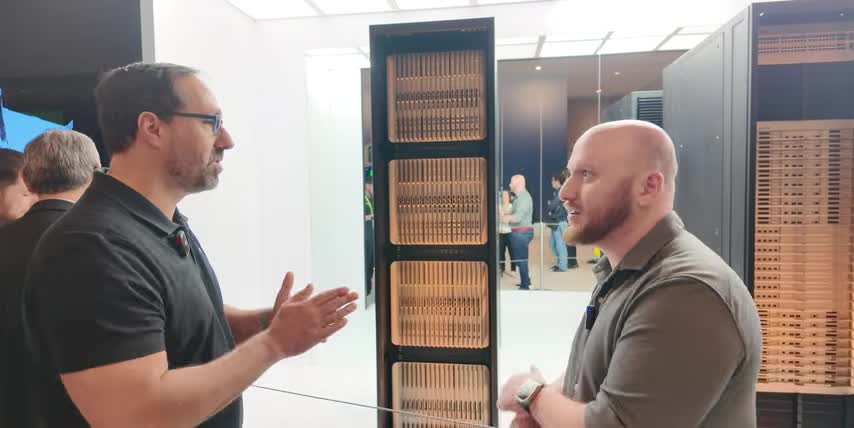
So, okay, this is the equivalent compute tray, and then there's also an equivalent switch tray, right? That's correct. And this looks a lot more streamlined too, So walk me through the changes here. So in terms of the changes here, we have the switches at the top, 100% liquid cooled. There's four switch chips. This is Envy Link 6, 6th generation Envy Link, twice the speed of what we had in the Blackwell. Twice the speed, whoa. So now it's 3.6 terabytes per second. And that's just going to help us with our, that performance I talked about, 10x performance per watt, or per megawatt, per gigawatt, whatever value you want. that's the increase in NB link speed is part of that contributes to that along with some other GPU features that we can talk about as well.
And are there so is it the same number of total GPUs in a Blackwell rack versus a Rubin rack? It is so it's a NBL 72 the 72 signifies the GPU count so GB300 NBL 72 and now we have the Vero Rubin MVL72, same GPU count, and it also makes it so it's very compatible for our customers to move from one to the other. And that's part of the goal of having the same GPU count, same kind of MGX rack architecture, so that just makes it easier for our customers. The ecosystem has been working with these racks for two generations now, now we have a third generation, they're just going to be able to work very fast and deploy at a very high rate with our end customer. No, it makes total sense. Okay, can we go look at a Vera Rubin rack now? Yeah. So this is the Vera Rubin. This is Vera Rubin MBL72 rack.
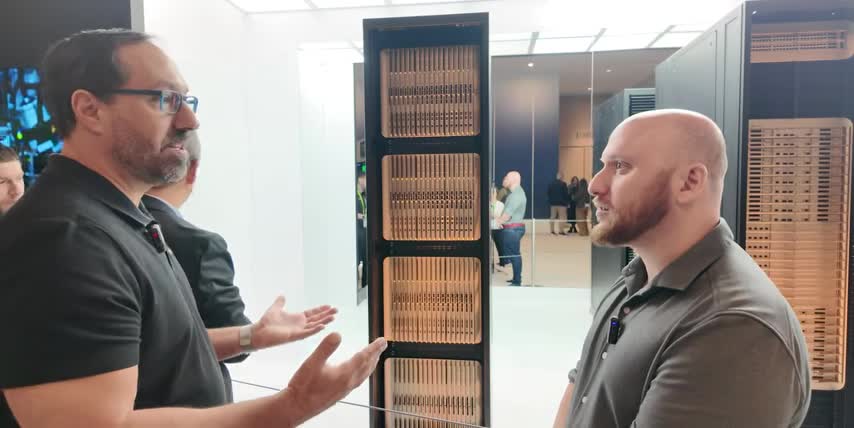
You can see that there's, you know, it very similar in form and look to the GB300 The most the biggest difference is on the compute trays you see there no vents So there was vents on the GB300 because the bottom half of the compute tray still had fans Okay, yeah. And then we got rid of those fans. It's all 100% liquid cooled on the compute trays. And that's why you see in the faceplate you don't see those vents anymore. Got it. But overall still, you know, still the nine switch trays, still 10 compute trays on top, and the 8 on the bottom, same kind of design. Still telemetry on top? Still top of rack telemetry with the 1 gig switch on top. Now here's the big question, right? From Blackwell to Rubin, at the rack level, talk to me about the performance gains at the rack level.
Performance gain at rack level is the 10x. 10x? The 10x, more tokens per second, per megawatt, per watt, and that's going to be a rack level kind of performance metric. And that's with a mixture of expert model, something like Kimi K2 Thinking, which is a very large model, over a trillion parameters. And that is going to fit and be optimized in a single rack with, you know, thanks to NB-Link switch, the experts in a mixture of expert model are distributed across the 72 GPUs. And that can factors more performance in tokens per second. So here we have the Kyber rack. So this would be for the Rubin Ultra generation. Subsequent to Rubin, which is a 2026 product, in 2027 we'll have Rubin Ultra.

So that's going to be a different rack architecture than we've had for the previous three generations. We're putting much more compute. Yeah, I'm noticing a lot more trays in this one. So we have 18 compute trays in each of these canisters. So there's four canisters, up to 72 GPUs in each of the canisters. So you would have 288. 208, so moving from 144 to 288, or is that 72? 72 to 288. Okay, so it's a 4x increase in GPUs. So each of these canisters, the four I talked about, is equivalent to the whole rack over here. So there's four racks worth of GPUs in this rack? There's four NBL 72s worth of compute in here. So very high compute density. Yeah. And that's why the architecture is different. It's a blade type of architecture rather than a tray architecture.
So we have 18 compute blades in each of the canisters. Sorry, these are all compute then? This is all compute on the front. Yeah. On the back is where the switch blades are for the NVLink connectivity. Got it. And so that's what is the performance leap that you guys are expecting from Ruben to Ruben Ultra in the Kyber rack? So we haven't given any of the performance yet on Ruben Ultra, but it's going to be factors more performance as usual between our generations. Just because you're going to have performance increases at the chip level, at the super chip level, at the rack level, and you're going to have four times as many.
That extreme co-design, again, right? Extreme co-design, all the chips being designed for greater performance, working in concert, being designed from scratch together. Are we expecting extreme co-design of all six chips for every generation from now on? We should expect to see six new chips. So for every generation, there's going to be a new generation of GPU for every year. Now, whether all six are going to be co-designed every year, that's probably not going to be the case. but you're going to see at the, for the flagship start of each generation, like Ruben, six new chips, some other new chips that go with Ruben Ultra, but not the entirety of all six. For example, we might see the Vera CPU, but the Ruben Ultra GPU. Exactly. Got it. Exactly. Got it. Yeah. I'm super excited for this.
I can't wait to see what this looks like. When, when can we expect to learn a little more about this? Is this something that we'll learn about this year, next year? So yeah, it'll be something that Jensen talks about in the coming year. I don't have a specific date, but yeah. I'm super excited for it, man. What are you looking forward to the most? What excites you the most as you see this rapid evolution year over year and generation over generation? So the amount of innovation with the extreme co-design, that's what's most impressive. Right. So there's only so much, and Jensen talked about this, that you can do moving from one GPU generation to a next. Process technology can only improve so much.
You know, it's not factors, more improvement in the number of transistors that you can go from one generation to the next. So, for example, between Vera, Rubin, and Blackwell, it's about 70% more transistors. Yeah. In terms of all the different chips that we co-design. but we're getting the 10x more performance per watt. So if you were just Moore's Law, it would only be a 70% jump, not a 1,000% jump. Yeah, not a 10x. So all these different chips being designed together, working together to maximize that performance, that's the most amazing thing about this generation and the future generations. That's really exciting. Thanks so much for your time.
A huge thank you to Joe Dallaire for breaking down NVIDIA‘s Blackwell ecosystem, system, giving us an inside look at Rubin and explaining how it will all make AI models faster, smarter and more efficient. Not just language models, but everything from image and video models to medicine, robotics and so much more. And if you want to really understand the science behind this stock, join me at NVIDIA GTC. You can register for free with my links below and jump into as many online sessions as you like.
I'll announce the winner of that RTX 5090 giveaway a few days after the conference, so make sure to enter another huge thank you to nvidia for sponsoring my travel and my media access to cover gtc live and to you for supporting the channel thanks for watching and until next time this is ticker symbol you my name is alex reminding you that the best investment you can make is in you.
Key Takeaways
- NVIDIA's Blackwell ecosystem is a powerful tool for AI inference, with a range of chips designed to work together for optimal performance.
- The Rubin ecosystem is a major upgrade to Blackwell, with a modular design and improved performance.
- The six chips in the Rubin ecosystem are co
Checkout our YouTube Channel
Get the latest videos and industry deep dives as we check out the science behind the stocks.